 LastLift
 Beat last week — the fastest workout tracker for iPhone.
See exactly what you lifted last session and log your next set in about three seconds. No routines to build, no feed to scroll — just the number to beat, right where you're looking, every time you train.
14-day free trial · iPhone only · no account, ever · your data stays in your iCloud
Log a set right now
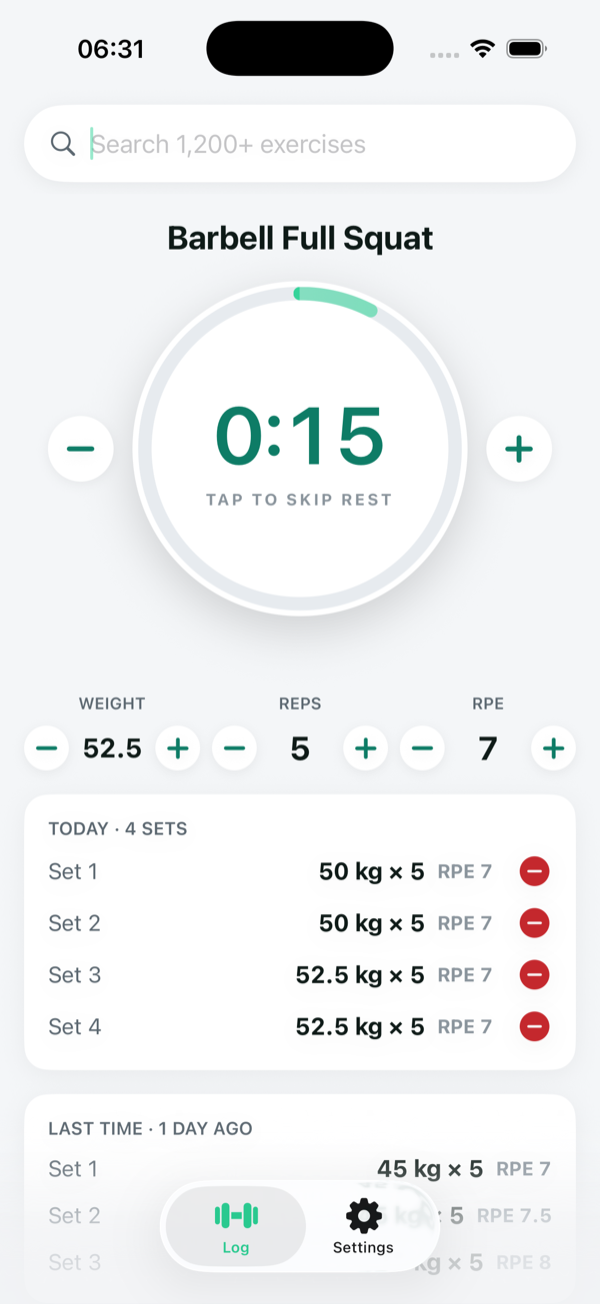
This demo is the app's exact flow — last session shown, adjust, one tap. The stopwatch keeps us honest.
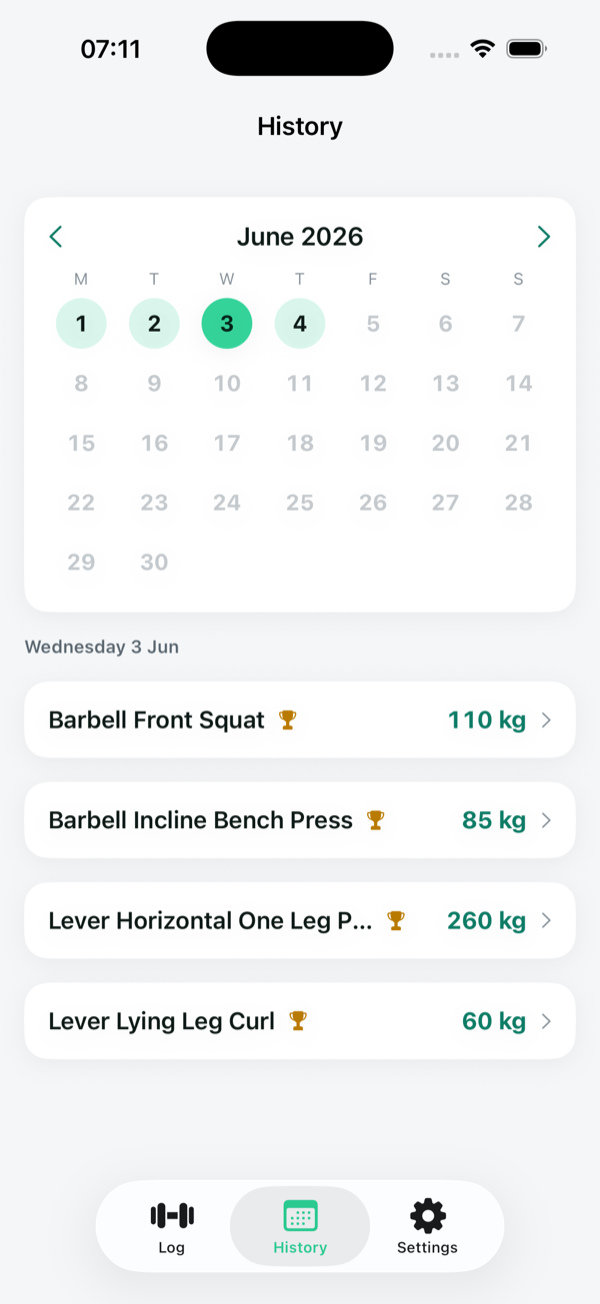
In the real app you'd search the lift first — here it's already open. What you see above is a demo; the screenshots on this page are the app.
Stop guessing. Start beating last week.
Getting stronger is simple: do a little more than last time, session after session. The hard part is remembering what "last time" was — the weight, the reps, how hard it felt. A notes app can't keep up between sets, and most gym apps bury it under feeds and menus. LastLift puts last session's exact numbers in front of you the instant you pick a lift, so progressive overload becomes the default instead of a spreadsheet chore. You walk out of every session knowing you beat the last one.
▲ +2.5 kg vs last sessionFrom open to logged in under five seconds
That's the whole app. Three taps, no setup, no thinking — so nothing gets between you and your next set.
Search your lift
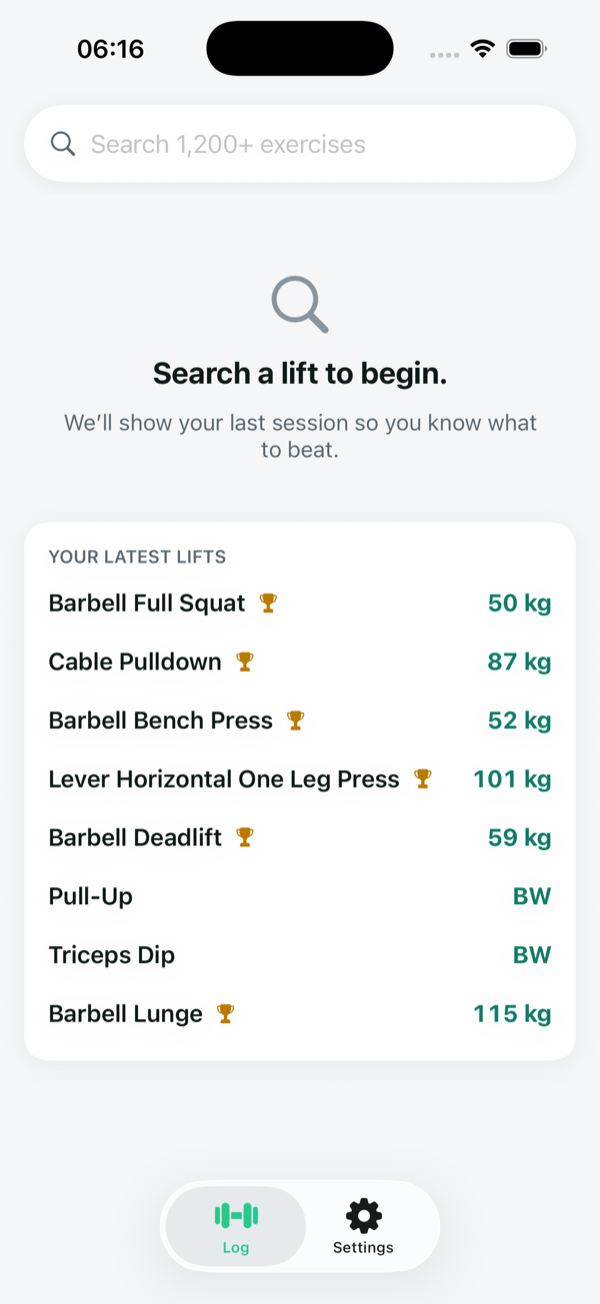
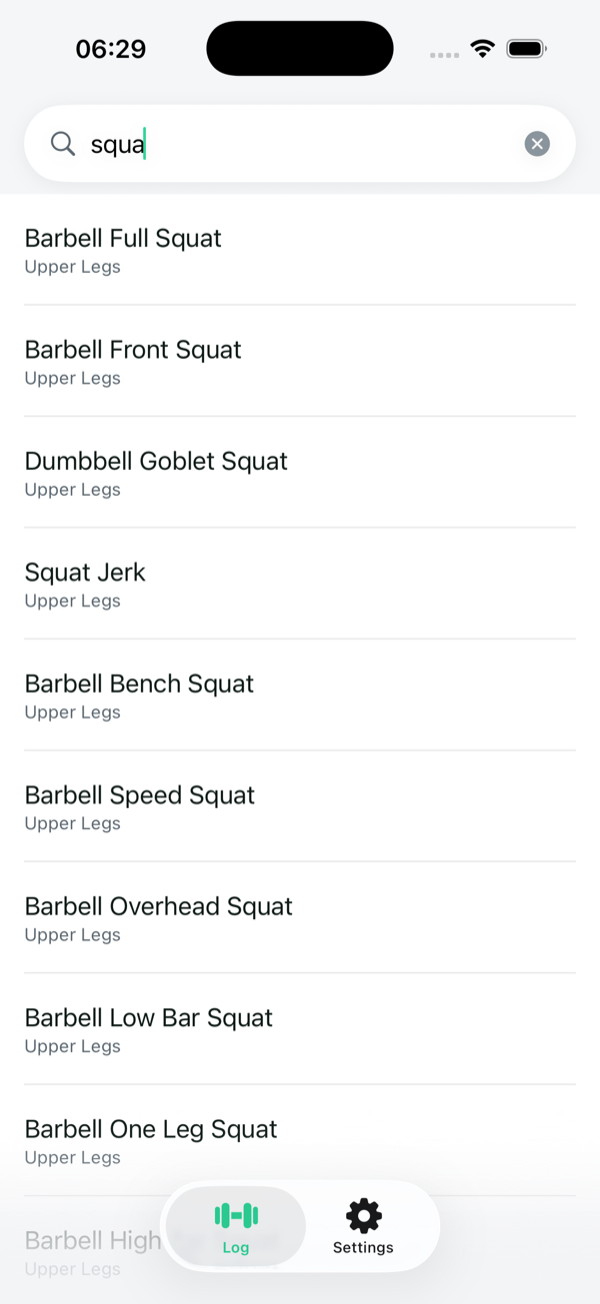
Start typing and LastLift filters 1,000+ exercises instantly — barbell, dumbbell, machine, cable or your own. It remembers what you log most, so your main lifts are one tap away.
See last session
Pick the exercise and your previous weight, reps and RPE load automatically, with the delta versus last time. You know your target before you've even chalked up.
Tap to log
Enter the set and hit the button. It saves, clears, and you're ready for the next one — no menus, no extra taps. Start the optional rest timer if you want it.
Your notebook never crashed. It also never remembered.
Most lifters don't switch from a bad app — they switch from paper, Apple Notes, or memory. Paper deserves the respect of an honest comparison.
What paper gets right
- Zero friction — a pen never asks you to sign in.
- Never dies mid-session, never needs charging.
- No feed, no notifications, nothing to scroll.
Where it breaks
- At the bar, it can't tell you last week's number — you're flipping pages.
- Numbers on paper aren't data: no trends, no PRs, no "am I progressing?"
- One lost gym bag and years of training history are gone.
The honest deep dives: gym notebook vs workout app · tracking lifts in Apple Notes
A gym log that gets out of your way
Every decision serves one outcome — helping you lift more than last time, faster than any other workout tracker.
Always know what to beat
The moment you pick a lift, last session's weight, reps and RPE appear — with the difference versus last time. Progressive overload stops being guesswork and becomes the default.
Log a set in about 3 seconds
One screen, one big button. Enter weight, reps and RPE, tap once, and it clears for the next set. When logging is this fast you actually do it — every set, every session.
Private by default
No account, no sign-up, no server. Your training history syncs through your own iCloud with Apple CloudKit, so your data stays yours and we never see it.
Nothing to set up
No routines to build, no programs to configure, no onboarding to sit through. Open the app, search any of 1,000+ exercises, and start logging. Add your own lifts in a tap.
One screen. The numbers you need to beat.
No dashboards to decode — just search, your last session, and the big log button.
The fastest Strong, Hevy & Setgraph alternative
Love progressive overload, hate the clutter? We compared LastLift against the six most popular gym loggers — Strong, Hevy, JEFIT, Stronglifts 5×5, Setgraph and FitNotes.
| What matters mid-workout | LastLift | Bloated trackers |
|---|---|---|
| Zero onboarding, no account | Yes | Sign-ups & setup |
| Last set shown the instant you pick a lift | Yes | Buried in menus |
| Log a set in ~3 seconds, one screen | Yes | Multi-tap, multi-screen flows |
| Private — your own iCloud, no servers | Yes | Third-party accounts & servers |
| No feed, no ads, no upsell noise | Yes | Feeds, social & upsells |
Read the honest ones: LastLift vs Strong · vs Hevy · vs Setgraph · all seven apps →
Try it free for two weeks
Then pick whatever suits you — no tricks, cancel anytime. One subscription unlocks everything.

Frequently asked questions
Everything you need to know about the fastest workout tracker for iPhone.
What is LastLift?
LastLift is the fastest workout tracker and gym log for iPhone. Pick a lift, see exactly what you did last session, and log the next set in about three seconds. No routines, no feed, no account — just the numbers you need to beat last week.
How is LastLift different from Strong, Hevy or Setgraph?
Most trackers add — feeds, programs, dashboards, ten taps to log one set. LastLift removes. It does one job better than anything else: surface your last numbers and log the next set faster, on a single screen. See how it stacks up against the most popular gym loggers on our compare page.
Do I need an account to use LastLift?
No. There's no sign-up and no server. Your workouts are stored on your device and synced privately through your own iCloud using Apple CloudKit, so your data stays yours and never touches our servers.
Does my workout data sync across devices?
Yes. Everything syncs automatically through your personal iCloud account — no separate login. Sign in to the same Apple ID on another device and your full lifting history is there.
Is LastLift good for progressive overload?
That's the whole point. LastLift puts last session's weight, reps and RPE in front of you with the difference versus last time, so adding a little each session — progressive overload — becomes effortless instead of something you track on paper.
How much does LastLift cost?
A 14-day free trial, then $3.99/month, $29.99/year, or $49.99 one-time lifetime. Cancel anytime.
Can I try it before installing?
Yes — the interactive demo near the top of this page follows the app's exact logging flow: last session shown, adjust the numbers, one tap to log. Time yourself. The app adds your full history, every exercise, iCloud sync and the rest timer.
Your last set, right when you need it.
Stop tracking on paper, in a notes app, or in your head. Open LastLift, see what to beat, and go.